


Transform Your Space with Digital Directory Signage solutions
Digital directory signage revolutionizes how visitors navigate buildings and find information quickly and efficiently.
Trusted by over 25,000 Companies Worldwide


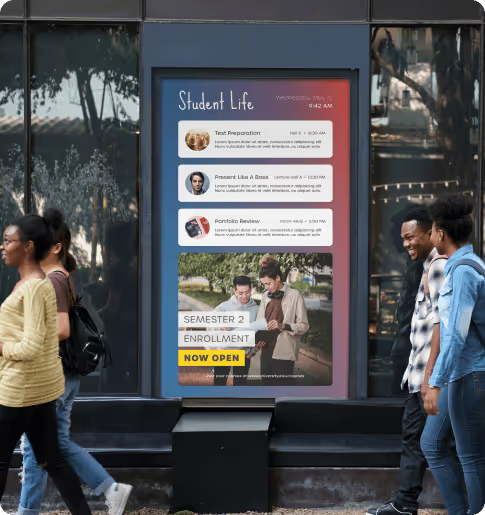
Engaging Solutions

Reliability & Support
Our digital directory signage operates 24/7 with 99.99% uptime. Get responsive US-based support whenever you need help, ensuring your directories always guide visitors effectively.
Flexibility
Choose from 140+ app integrations to enhance your digital signage directory. Display real-time updates, social feeds, or custom content alongside your building directory information seamlessly.
Ease of use
Create and update your building directory digital signage in minutes. Our drag-and-drop interface requires no technical skills, making content management simple for any team member.
Complete Digital Signage directory Features For every building


Instant Directory Updates Made Simple
Update your digital building directory signage from anywhere using our cloud-based platform. Add new tenants, change floor plans, or modify business hours instantly without printing costs.
Interactive Touch Navigation
Transform static directories into engaging digital signage directory boards. Visitor scan search, filter, and get directions with our intuitive touch-enabled interface.


Multi-Location Directory Management
Control digital signage directories across multiple buildings from one dashboard. Perfect for campuses, shopping centers, or corporate facilities needing consistent wayfinding solutions.
Remote Management Capabilities
Update your digital signage business directory from any device. Schedule content changes, monitor screen status, and ensure your directories display current information always.

Unlock the best of optiSigns

Use Your Files
We support formats like jpg, png, gif, bmp, mp4, pdf, ppt(x), and integrate with many file systems.

Apps & Integrations
Apps like weather & traffic maps, clocks, and social media like Facebook, Instagram, and Google!


Schedule Your Content
Schedule your digital signage content for different times of day, for certain weeks, or for special events.

Orientation
Landscape and portrait mode support so you can display your digital signage content in whatever direction you need.

Screen Zones
Splitting your screen into multiple zones gives you endless ways for displaying your content.

Work Offline
Download content to your devices, so your screens can still run even with bad internet connection.


Online Editor
No need to switch between apps. Build your content directly in OptiSigns Management Portal.

Multi-User Permission
Invite your team to manage and update your screens with different roles and approval workflows.


Kiosk Mode
Make your digital signage content engaging with full touchscreens and interactive elements on your signs.

Sensors & AI
Connect sensors and adapt content to your viewers' demographics using AI or IoT sensor data in real-time.

Templates
Start easily with our 1000+ free templates and personalize them with the help of our Designer App.

Hardware Agnostic
The most options in the market for hardware and OS, use an existing screen or buy a new one.
And a lot more ...Want to try it out yourself?
Try for free


