


Manage your Digital signage Remotely from anywhere
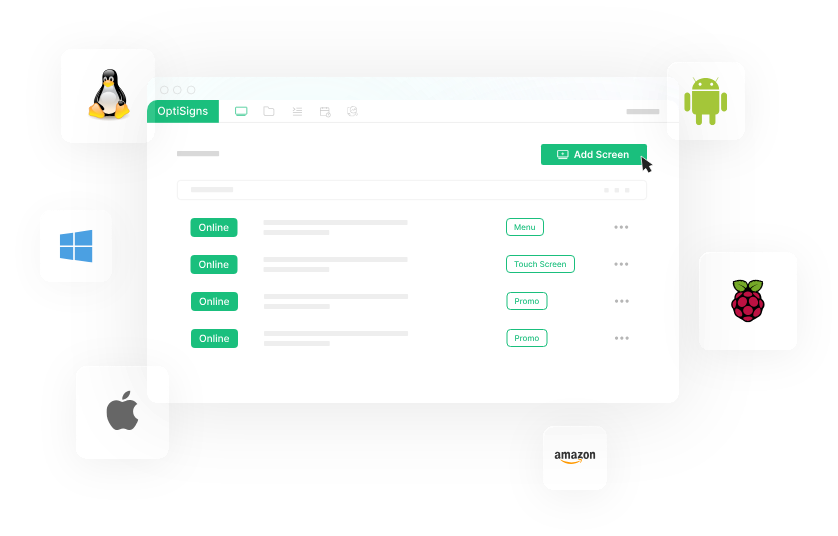
Control and update all your screens from a single cloud-based dashboard. OptiSigns' digital signage remote management lets you schedule content, monitor display status, and make instant updates across unlimited locations, all with no technical expertise required.
Trusted by over 25,000 Companies Worldwide


Why Remote Management Matters

Save Time
Control all your screens from one dashboard. No more driving between locations to update content.
Stay Consistent
Keep your brand message unified across every location. Update all screens at once with a single click.
React Quickly
Change content instantly for sales, emergencies, or special events. Your message goes live in seconds.
Leading Features for Digital Signage Remote Management


Cloud-Based Control
Access your digital signage from any device with an internet connection. Our cloud platform means you're never locked to one computer. Make updates from your office, home, or while traveling.
Real-Time Monitoring
See which screens are online, what content is playing, and catch issues before customers do. Get alerts if a screen goes offline so you can fix problems fast.


Scheduled Content
Plan your content weeks in advance. Set different messages for different times, days, or locations. Your digital signage runs itself while you focus on business.
Multi-User Access
Give your team the right level of control. Marketing can update promotions while IT manages the system. Set permissions so everyone can help without causing problems.

Unlock the best of optiSigns

Use Your Files
We support formats like jpg, png, gif, bmp, mp4, pdf, ppt(x), and integrate with many file systems.


Schedule Your Content
Schedule your digital signage content for different times of day, for certain weeks, or for special events.

Screen Zones
Splitting your screen into multiple zones gives you endless ways for displaying your content.

Work Offline
Download content to your devices, so your screens can still run even with bad internet connection.

Online Editor
No need to switch between apps. Build your content directly in OptiSigns Management Portal.

Multi-User Permission
Invite your team to manage and update your screens with different roles and approval workflows.


Sensors & AI
Connect sensors and adapt content to your viewers' demographics using AI or IoT sensor data in real-time.

Templates
Start easily with our 1000+ free templates and personalize them with the help of our Designer App.

Hardware Agnostic
The most options in the market for hardware and OS, use an existing screen or buy a new one.
And a lot more ...Want to try it out yourself?
Try for free


