


Turn Your TV Into Digital Signage with OptiSigns
Transform any TV into powerful digital signage with OptiSigns’ easy-to-use platform that helps businesses display content professionally
Trusted by over 25,000 Companies Worldwide


Engaging Digital Signage

Easy Setup
Turn your TV into digital signage in minutes. No technical skills needed. Just plug in, connect, and start displaying your content right away.
Remote Control
Manage your TV screens from anywhere. Update content, schedule displays, and monitor performance through our cloud-based dashboard anytime.
Professional Templates
Choose from thousands of ready-made designs. Create stunning displays formenus, announcements, promotions, and more. No designer needed.
We’ve Got You Covered With Leading Features


Content Management
Easily upload and organize all your digital signage content. Drag and drop images, videos, and presentations to create engaging displays on your TV screens.
Smart Scheduling
Schedule what plays on your TV and when. Set different content for different times, days, or special events to keep your signage fresh and relevant.


Multi-Screen Control
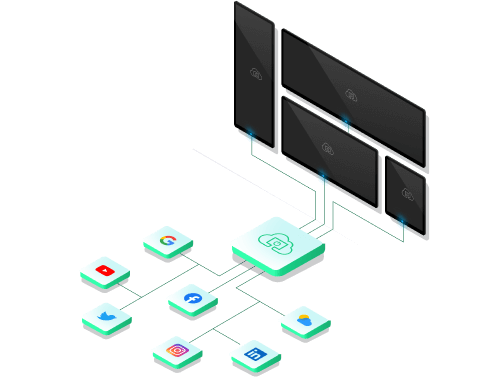
Convert multiple TVs to digital signage and manage them all from one place. Perfect for businesses with multiple locations or departments needing coordinated messaging.
App Integrations
Connect your favorite tools to display live data on TV screens. Show social media feeds, weather updates, news, calendars, and business dashboards automatically.

Unlock the best of Digital Signage on TV

Use Your Files
We support formats like jpg, png, gif, bmp, mp4, pdf, ppt(x), and integrate with many file systems.

Apps & Integrations
Apps like weather & traffic maps, clocks, and social media like Facebook, Instagram, and Google!


Schedule Your Content
Schedule your digital signage content for different times of day, for certain weeks, or for special events.

Orientation
Landscape and portrait mode support so you can display your digital signage content in whatever direction you need.

Screen Zones
Splitting your screen into multiple zones gives you endless ways for displaying your content.

Work Offline
Download content to your devices, so your screens can still run even with bad internet connection.


Online Editor
No need to switch between apps. Build your content directly in OptiSigns Management Portal.

Multi-User Permission
Invite your team to manage and update your screens with different roles and approval workflows.


Kiosk Mode
Make your digital signage content engaging with full touchscreens and interactive elements on your signs.

Sensors & AI
Connect sensors and adapt content to your viewers' demographics using AI or IoT sensor data in real-time.

Templates
Start easily with our 1000+ free templates and personalize them with the help of our Designer App.

Hardware Agnostic
The most options in the market for hardware and OS, use an existing screen or buy a new one.
And a lot more ...Want to try it out yourself?
Try for free


