


Digital signage is all around us. Businesses use it to grab attention, share messages, and talk to customers in a clear, exciting way. But putting a screen on the wall isn't enough to make it work well.
To get real results, you need the right setup and a system that's easy to grow and manage over time.
In this guide, we'll show you the seven key parts of a great digital signage program. You'll also see how OptiSigns makes it easy to bring everything together, whether you have one screen or hundreds.
Main Takeaways:
- Digital signage helps businesses share videos, updates, and messages on screens in stores, offices, and public places
- A good signage program has seven key parts: screens, content, software, media players, hardware, device controls, and a strong network
- Great content includes both long-term messages and quick updates to keep things fresh
- It's important to set clear goals, know your audience, and have a plan that can grow with your business
What Is Digital Signage, and How Is It Used?

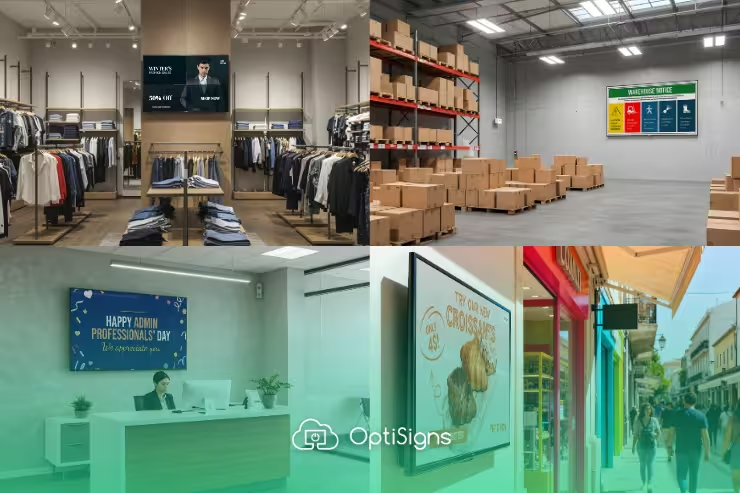
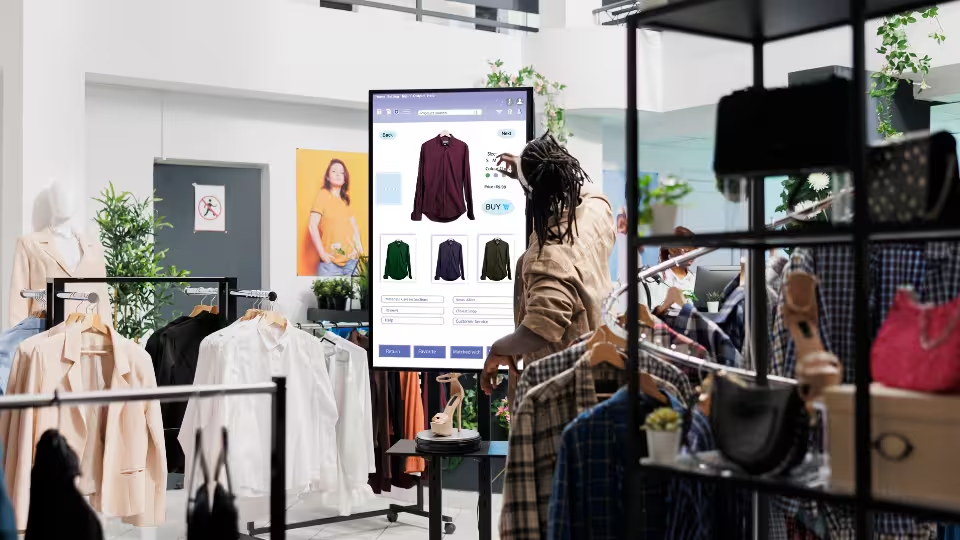
Digital signage is a modern way to share messages using screens. It can show videos, pictures, announcements, menus, live data, or even weather updates. You'll see digital signs on TVs, tablets, billboards, and video walls in places like stores, schools, offices, and hospitals.
These signs work by playing digital content through a network or cloud system. This makes it easy to change what's on screen from anywhere, even in real time. That means you can keep messages fresh without needing to print anything.
Businesses use digital signage in many ways:
- Retail & Restaurants: Show sales, menu items, or daily specials.
- Offices & Schools: Share company news, meeting times, alerts, or shout-outs.
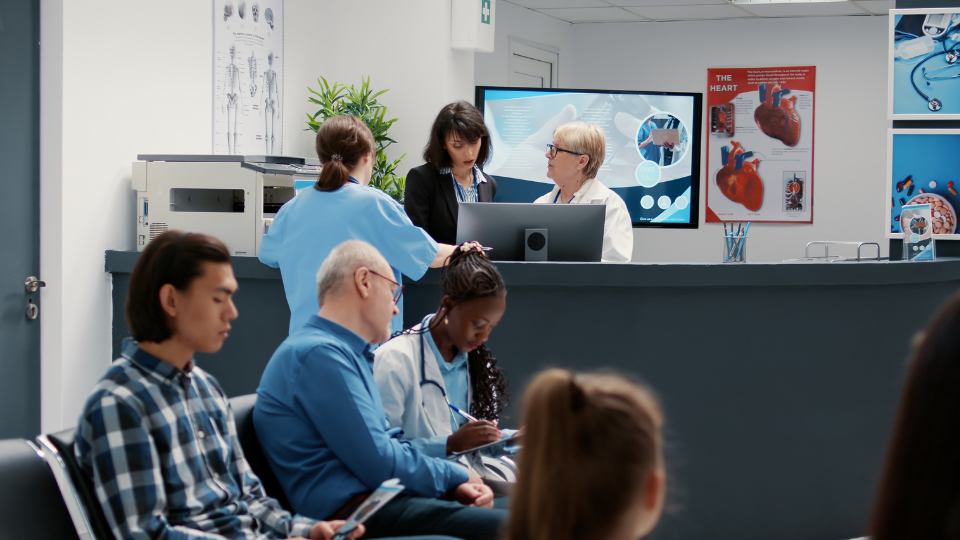
- Hospitals & Hotels: Help people find their way or show wait times and welcome messages.
- Airports & Stations: Show travel info like delays or gate changes.
With digital signage tools like OptiSigns, it's easy to manage all your screens in one place. These tools help you update content, set schedules, and make sure each screen shows the right message at the right time. Whether you have one screen or many, a platform like this helps you stay organized and keep your messages clear and up to date.
What Is a Digital Signage Program?
Now that you know what digital signage is and how it's used, let's talk about what makes it all work behind the scenes.
A digital signage program is your plan for using screens to share content in a smart and organized way. It's not just about putting up a few TVs; it's about knowing what to show, where to show it, and how to keep everything running smoothly.
A strong program includes the right tools, like screens, software, content, and hardware. It also includes a plan for who will manage it, how often to update content, and how it supports your business goals.
When you have a full program in place, your messages are clear, your screens stay up to date, and it's easy to grow over time.
Next, we'll break down the key components that every successful digital signage program needs.
7 Key Digital Signage Components for a Successful Program
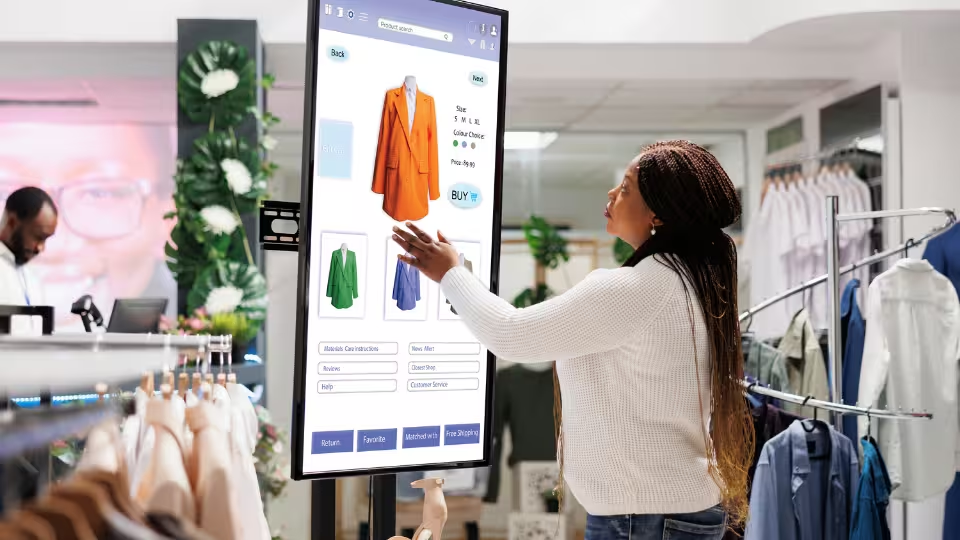
Whether you have one screen or many, these seven parts work together to help your messages look great and reach the right people.
1. Displays
Displays are the screens that show your message to people. They can be big or small, simple or fancy. But don't spend all your money on screens right away. Think of them like a blank canvas—the power comes from the device that plays the content.
There are different types of screens:
- LCD screens work well indoors.
- LED screens are brighter for outside.
- OLED screens show very bright, clear images.
Match your screen to where it will be used. A hallway may only need a basic screen, but a storefront or outdoor area needs something brighter and weatherproof.
Tools like OptiSigns work with almost any screen. Even basic TVs become strong digital signs when connected to a smart player.
2. Content
Content is what people see on your screen. This includes videos, messages, social media, menus, live updates, and more. Good content grabs attention and helps you share your message clearly.
There are two types of content:
- Pillar content stays up longer, like company values or safety tips.
- Leaf content changes often, like daily menus or employee highlights.
To keep your signage organized and fresh, try setting up a content calendar. This helps you plan ahead and update content regularly without scrambling at the last minute.
You don't have to create everything alone, either. Ask coworkers or other departments for help—many already have updates to share, like sales reports or internal news. You can also reuse things like Power BI dashboards or company newsletters. Tools like Google Slides or PowerPoint make it easy for teams to collaborate on content. With OptiSigns, any updates made to shared slides will automatically appear on your screens.
Make your content easy to read. Use large fonts, bold text, and strong colors. Templates and drag-and-drop tools help you design quickly and consistently. With OptiSigns, you get ready-made templates, so you don't need to be a designer to create great-looking content.
3. Content Management System (CMS)
A Content Management System, or CMS, is the control center for your digital signage. It's where you create, organize, and schedule your content.
A good CMS should let you:
- Upload images, videos, and documents
- Create playlists and recurring schedules
- Show different content in different zones
- Use built-in templates or editing tools
- Work offline if needed
- Connect to apps like Google Slides or Instagram
- Add users with different permissions
- Get help quickly when needed
OptiSigns checks all these boxes and more. It connects with over 140 apps, like Google Slides, Instagram, and Power BI. This means you can update your content in one place and see the changes show up on your screens automatically.
4. Hardware
Hardware is the extra equipment you need to support your digital signage system. This includes wall mounts, cables, internet gear, and protective cases, especially in outdoor or busy areas.
Different places need different hardware. Indoor screens may only need basic mounts and cords. Outdoor screens need weatherproof covers and tamper-resistant parts. Busy places like drive-thrus or factories may need stronger materials to last longer.
OptiSigns makes choosing hardware easier by offering bundles. These kits include tested equipment, like mounts and media players, that work together without any guesswork. Having the right hardware helps your signage stay strong, safe, and reliable over time.
5. Device Management System
A Device Management System helps you check and control all your screens from one place, even if they're in different locations.
This system lets you:
- See if any screen has stopped working
- Fix problems without being on-site
- Update content or software remotely
It saves time and makes sure your screens keep working, especially if you have screens in many places.
With OptiSigns, you get built-in device management. You can group screens by location, schedule updates, and even restart players from your computer. It helps your digital signage stay up and running smoothly without needing extra visits or tools.
6. Media Players
Media players are small devices that run the content on your screens. While screens show your message, media players power it behind the scenes.
There are two types:
- Built-in players (in the screen) are simple but limited
- External players (dedicated signage players) offer better performance and more features
OptiSigns recommends external media players for more control and faster updates. They also let you show special content, like live data or messages that react to sensors.
These players are tested to work all day, every day. Whether you're setting up one screen or many, using a smart media player helps make sure your message always looks great and plays correctly.
7. Digital Signage Network
A digital signage network connects all your screens, users, and content into one easy-to-manage system. Whether you have five screens or hundreds, a strong network helps keep everything in sync.
A good network lets you:
- Show the right message at the right time
- Update screens quickly and from one place
- Control what shows where and when
It also supports smart changes based on things like time of day or location. For example, a retail store can show different ads depending on which store it's in or who is watching.
How to Get the Most Out of Your Digital Signage Program
Now that you know the key parts of a digital signage program, it's time to put everything into action. Managing your program the right way helps your screens stay useful, your content stay fresh, and your audience stay engaged. Follow these steps to stay organized and get the most from your signage.
1. Set Clear Goals
Before you start showing content, think about what you want to achieve. Clear goals help your team stay focused and make it easier to tell if your signage is working.
Some examples of goals:
- Answer common questions ahead of time
- Remind staff about tasks or updates
- Show the right promotions at the right time
- Celebrate team wins or progress
- Share safety tips to prevent accidents
Start with 3–4 simple goals you can track and adjust as you go.
2. Think About Your Audience
Good signage speaks to the right person at the right moment. Great signage can go beyond and even adjust in real time based on who’s in front of the screen using tools like OptiSigns Audience Intelligence. Ask yourself who will see the screen and what they're doing when they see it. Are they customers waiting in line? Employees walking into a meeting? Visitors looking for directions?
Make sure your content fits the situation. The better the match, the more people will notice and respond.
3. Train Your Team
Make sure the people using your signage tools know how everything works. Train staff on how to update content, check for problems, and use your CMS. When more people understand the system, it's easier to keep screens updated, fix issues quickly, and try new ideas. This also means you're not relying on just one person to manage everything. Proper training helps your signage program run better every day.
4. Create Your Deployment Plan
Once you've picked your screens, tools, and content, it's time to set everything up. This includes installing screens, connecting your network, and loading the right content.
A good rollout plan saves time, avoids mistakes, and gets your signage up-and-running faster.
5. Assign Ongoing Maintenance
After your signage is up and running, make sure someone is responsible for keeping it that way. Assign a team member at each location to check screens regularly and report any issues. They should know how to spot problems with power, internet, or playback. For larger rollouts, involve your IT team early to plan long-term support. A little maintenance goes a long way in keeping your signage reliable and your content visible.
6. Keep Track and Make Improvements
Digital signage isn't something you set up once and forget. Check how your screens are doing. Are people paying attention? Are you reaching your goals?
Look at things like:
- Sales results
- Staff or customer feedback
- How often is content updated or viewed
Use this info to improve. You might change where a screen is placed, adjust a schedule, or test new types of content. Small updates can make a big difference over time.
Build Smarter Digital Signage with OptiSigns
Building a great digital signage program means more than just putting up screens. You need the right tools to create good content, keep everything running, and grow as your business grows.
OptiSigns brings everything together in one simple platform. You can design eye-catching content, connect to live data, and manage all your screens from one easy dashboard. Whether you have just a few screens or many in different places, OptiSigns gives you the tools to stay organized and reach your audience.
Want to see how easy it can be? Try OptiSigns for free and start building smart, flexible digital signage that works for you.


