



Shrink doesn't usually start with a missing policy. It starts with a missed step. A receiving count that gets skipped, a checklist no one follows up on, a policy update that never reaches employees. Most retail loss prevention programs already cover the right things. The gap is execution, and it widens with every store you add.
This guide provides actionable routines with clear ownership. You'll learn:
- What causes shrinkage
- How to address it through people, process, and technology
- How to assign accountability so nothing gets missed
The outcome? An implementable loss prevention program that works regardless if you have 1 store or 100.
Main Takeaways
- Retail loss prevention reduces shrinkage from external theft, internal theft, operational errors, vendor fraud, and return abuse.
- Effective programs blend people, processes, and technology. They include clear ownership, daily routines, and weekly reviews.
- Staff safety comes first: train teams to observe and report, not confront. Apply policies the same way each time. Document every incident in the same format.
- Monitor key indicators, such as checklist completion and refund rates. This helps identify issues early, before inventory counts show shrink patterns.
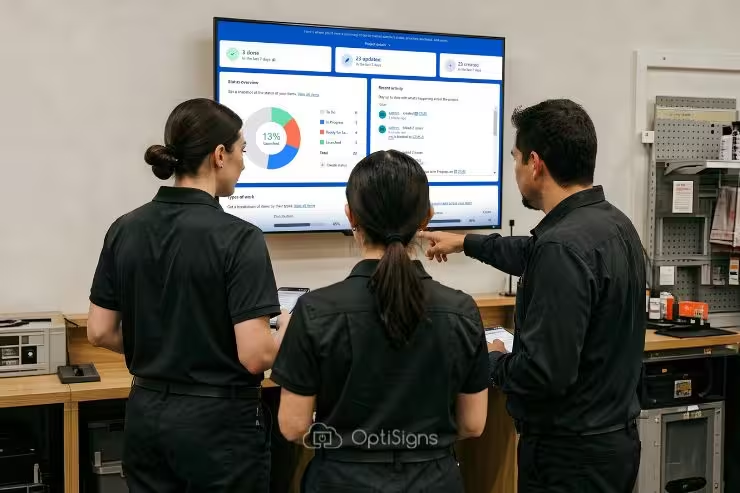
- Combine scheduled audits with surprise ones. Share results openly and without blame on backroom screens using digital signage software.
What Is Retail Loss Prevention?
Retail loss prevention is the set of policies, routines, and tools stores use to reduce shrink. This term means the gap between inventory records and what is actually on shelves or sold.
Shrink is the inventory loss from all causes. It includes:
- External theft (shoplifting)
- Internal theft
- Operational errors
- Vendor fraud
- Return abuse
Loss prevention differs from general security. Security protects property and people in retail environments. Loss prevention protects margin.
Every dollar of shrink comes directly off profit, making it a financial priority for every store.
5 Causes of Retail Shrink and Where They Show Up
Shrink falls into five categories, each requiring different controls in different store areas.
External Theft
External theft, or shoplifting, is the most visible cause. Retailers have seen a structural increase in both frequency and dollar impact. US shoplifting incidents rose 18% in 2024, according to the National Retail Federation.
Common tactics include concealing items in fitting rooms, pocketing small high-value goods, and swapping barcodes for lower prices. This sustained rise means stores must plan for higher baseline risk.
Internal Theft
Internal theft is harder to detect because it happens inside trusted workflows. For example, "sweethearting" at the register—giving unauthorized discounts to friends—hides in normal transactions.
The EHI Retail Institute estimates that internal theft causes over $1 billion in annual loss. Override abuse, like voiding items after a customer leaves, shows up only in exception reports. Backroom diversions, where staff remove inventory without logging it, go unnoticed until cycle counts.
These behaviors require process controls and audit routines in addition to cameras.
Operational Errors
Operational errors can rival theft in dollar impact.
- Miscounts at receiving mean you think you have more stock than you do.
- Mislabeled prices create checkout confusion and write-offs.
- Damaged goods thrown out without proper logging inflate shrink without anyone stealing anything.
Tightening receiving and disposal sign-off processes closes these gaps.
Vendor Fraud
Vendor fraud and short-shipping push shrink upstream. This happens when deliveries arrive with fewer units than the invoice shows, but staff don't catch the gap until they run inventory.
According to the Retail Industry Leaders Association, two-thirds of retailers surveyed reported increased cargo theft over 24 months. This trend means receiving teams must verify counts and reconcile paperwork every delivery, not just spot-check.
Return Fraud
According to Appriss Retail, US merchandise returns totaled $685 billion in 2024. An estimated $103 billion (15.14%) of that was fraudulent or abusive.
Common schemes include receipt fraud (using fake or stolen receipts), empty-box returns (returning packaging without the product), and barcode swaps (returning a cheap item in an expensive item's box).
Returns desk staff need clear policies, spot-check routines, and escalation triggers to catch abuse before it scales.
Where Shrink Shows Up by Store Area
Each store area has its own shrink profile. Knowing where to focus helps you assign the right controls.
Shrink By Store Area
Loss Prevention Strategies
Effective retail loss prevention programs use three key areas: people, process, and technology.
People: Safe Engagement Training and Effective Staffing
Loss prevention must protect staff and customers as much as inventory.
Staff safety comes first. Train staff to observe and report, not confront. De-escalation basics include:
- Staying calm
- Maintaining distance
- Using open body language
- Calling for backup early
New York's recent Retail Worker Safety Act requires written violence-prevention policies and interactive training for retailers with 10 or more employees. This trend is spreading, so build training programs that meet the strictest state requirements.
Visible floor coverage during peak hours and high-risk seasons deters opportunistic theft. Staff presence signals that someone is watching, which reduces grab-and-go incidents.
Schedule extra coverage during holidays, promo launches, and staffing gaps to maintain deterrence.
Apply policies identically every time and document all incidents the same way. Inconsistent enforcement creates legal exposure and damages trust.
Process: Checklists, Incident Logs, and Escalation Triggers
Daily open and close loss prevention checklists ensure no areas are getting skipped.
Checklists should cover:
- Front-end cash counts
- Self-checkout lane audits
- Returns desk spot-checks
- Receiving paperwork reconciliation
- Backroom lock verification
When every shift follows the same routine, gaps become visible quickly.
Incident logging sets the minimum standard for documentation. Record:
- Date and time
- Product
- Area
- Staff on shift
- What happened
- Actions taken
This log becomes your evidence trail for audits, escalations, and pattern detection. Without consistent logging, you can't measure whether your program is working.
Escalation triggers define what requires manager, corporate, or law enforcement involvement. Define thresholds in advance—dollar amount, repeat offender, weapon present—so staff know when to escalate and when to let it go.
If an incident does occur, know which tools can be used to help. For instance, the OptiSigns Mobile Admin app lets managers push urgent safety reminders to screens from their phone during incidents.
Technology: Cameras, Tags, and Digital Signage
Cameras and exception-based reporting identify internal theft patterns by flagging unusual voids, overrides, and refunds. Electronic Article Surveillance (EAS) tags and Radio Frequency Identification (RFID) reduce grab-and-go theft by triggering alarms at exits.
These tools work best when paired with process controls.
Privacy-friendly signage for security cameras should be clear, consistent across locations, and non-threatening. Use language like "Video surveillance in use" instead of implying profiling or guilt. Avoid messaging that could be read as targeting specific groups or behaviors.
Central content control using digital signage software lets you update policies instantly and schedule reminders of them for open, close, and shift change.
This approach ensures every location sees the same messaging at the same time, reducing the risk of outdated policies or forgetfulness. Digital signage is one tool within the technology lever, not a replacement for cameras, tags, or staff training.
Your Weekly Loss Prevention Operating System
A retail loss prevention program works only if someone owns each routine and runs it on a set cadence. Here's a suggested daily and weekly rhythm, plus an ownership model to keep expectations clear.
Daily Open/Close Checklist
Every shift should complete a short checklist before opening and after closing. Keep it under five minutes per area.
- Front end: Cash drawer counts, register tape review, signage check
- Self-checkout: Lane audit, override log review, signage confirming item limits
- Returns desk: Receipt-match spot check, refund log review, signage on return policy
- Receiving: Delivery paperwork reconciled, short-ship log updated, cage locks verified
- Backroom: Key log reviewed, disposal sign-off confirmed, camera angles unobstructed
Weekly Shrink Review Meeting
This meeting stays short (30 minutes or less) because data is prepped in advance. Assign one person to pull numbers before the meeting starts. Then cover the following:
- Review incident count vs. prior week. Are incidents rising or falling? Which areas show the most activity?
- Review refund rate and flag anomalies. Spikes signal return fraud before inventory catches it.
- Go over audit findings. What passed, what failed, and what needs follow-up? Focus on process gaps, not blame.
- Review escalations/incidents requiring corporate or law enforcement. Document decisions and next steps.
- Check communications. Are screen reminders current? Is there outdated messaging? Update content if policies changed.
- Set action items and owners for the coming week. Assign specific tasks and deadlines.
Ownership Model by Store Count
Clear ownership ensures routines run every week, not just when someone remembers. The following table illustrates how responsibility shifts as your store count grows.
Example Shrink Task Ownership Model
Seasonal High-Risk Calendar
Map holidays, promo launches, and staffing gaps on a calendar. Increase floor coverage and screen reminders during those windows. Black Friday, back-to-school, and end-of-season sales all require extra vigilance.
Leverage digital signage to clearly display expectations.
- Scheduling and automation set open/close reminders, shift-change prompts, and seasonal messaging to run automatically.
- Use Templates to create SOP checklists and policy reminders without needing design skills or a lot of time.
Update once, push everywhere.
How to Measure Your Loss Prevention Program
How can you prove that your program works? Track a simple scorecard with leading and lagging indicators to measure progress.
Use Dashboards from Power BI or Google Sheets to display audit scorecards directly on screens. Share results without blame, and make improvements where necessary.
Lagging indicators show outcomes. For example:
- Shrink percentage at inventory
- Incident count
- Dollar loss per incident
These tell you what happened after the fact. The numbers move slowly and reflect weeks or months of activity.
Leading indicators show actions you control. For example:
- Checklist completion rate
- Audit pass rate
- Training completion rate
- Refund rate
These signal problems before inventory catches them. Track your refund rate weekly as an early warning.
Compare incident logs to audit findings. If audits pass but incidents rise, your checklists may miss real hot spots.
Example Audit Indicators
A store-level audit scorecard in traffic-light format—green, yellow, red—lets managers see priorities at a glance. Assign thresholds for each metric so teams know when to act.
Audit design should mix scheduled audits (to build habits) with surprise audits (to test real behavior).
Rotate which store areas you sample each week. Surprise audits should be truly random, not always done on the same day or shift. Increase frequency during high-risk periods like holidays, promo launches, and staffing gaps.
Share audit results with staff and focus on process, not blame. Frame gaps as opportunities to improve routines.
Run Consistent Loss Prevention Across Every Store
Consistent execution across locations requires that communication stay visible and current.
OptiSigns keeps loss prevention reminders, checklists, and scorecards on store screens without manual updates or outdated posters. Backroom dashboards show the same priorities to every team. And policy updates go live everywhere you need them, with just a few clicks.
Keep your loss prevention playbook visible on every screen.


