


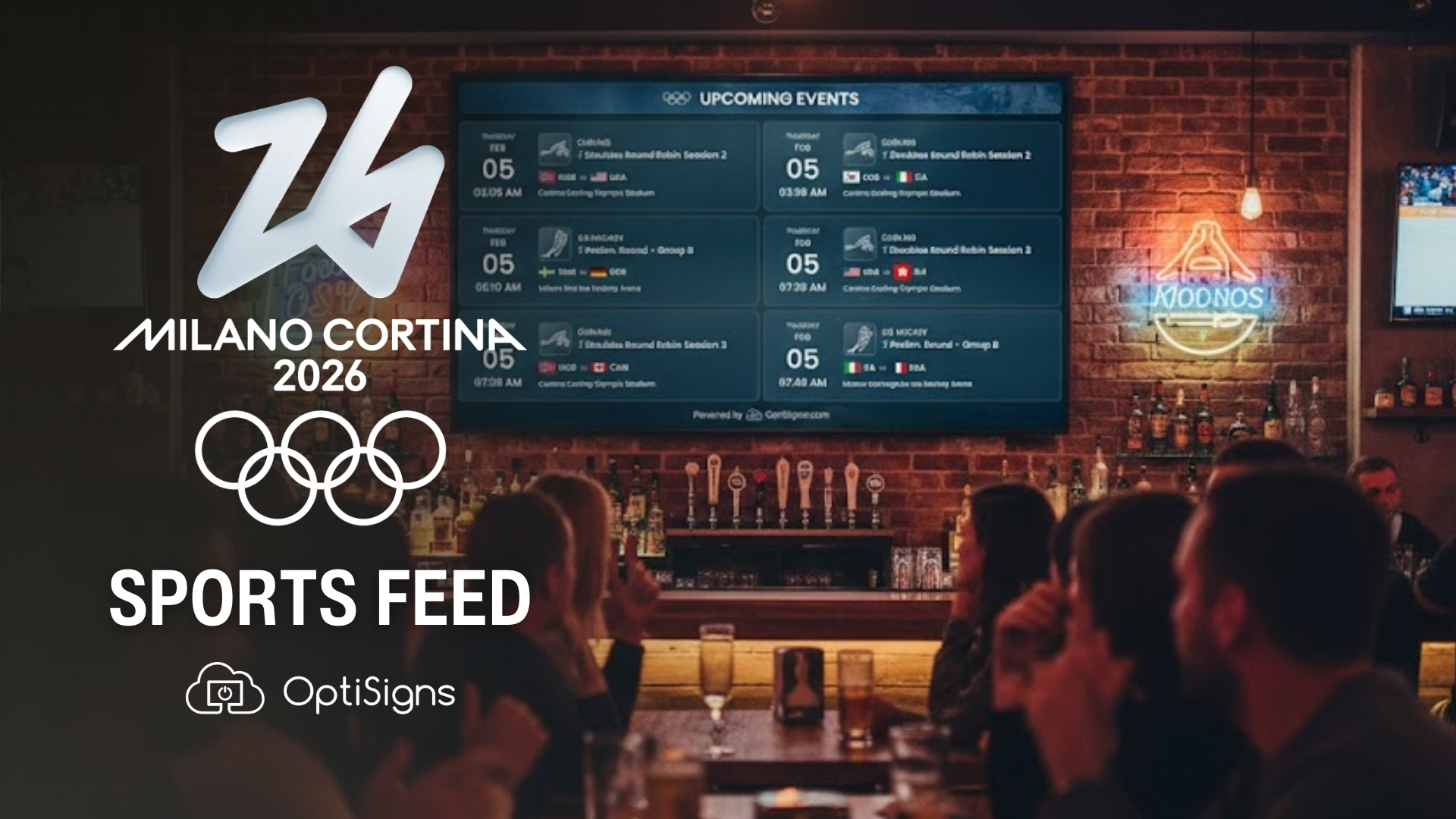
For 17 days this February, the world's attention shifts to the Italian Alps. The Milano Cortina 2026 Winter Olympics will host over 3,500 athletes competing across 16 disciplines. From alpine skiing in Bormio to speed skating in Milan, there’s nearly 200 medals on the line. It's the kind of event that turns strangers into spectators and lobbies into living rooms – and that's where OptiSigns Digital Signage Sports Feeds come in.
The Olympics aren't just a living room event. People watch in hotel lobbies while waiting to check in. In the gym between sets. In office breakrooms during lunch. At sports bars before the evening crowd shows up. The Winter Games create a shared moment, so let your screen in on the action!
We just launched the Milano Cortina 2026 Winter Olympics feed — our free Sports Feed available to all OptiSigns users, with brand new layouts and real-time data that updates automatically throughout the Games.
.avif)
What's In Store With the Milano Cortina Sports Feed
Events Calendar
From Curling to Ski Jumping, this view brings a week-at-a-glance grid broken down by sport. Competition rounds and medal events are marked differently, so any passerby can get an instant update. When's the figure skating final? Is biathlon on today? One glance answers it.
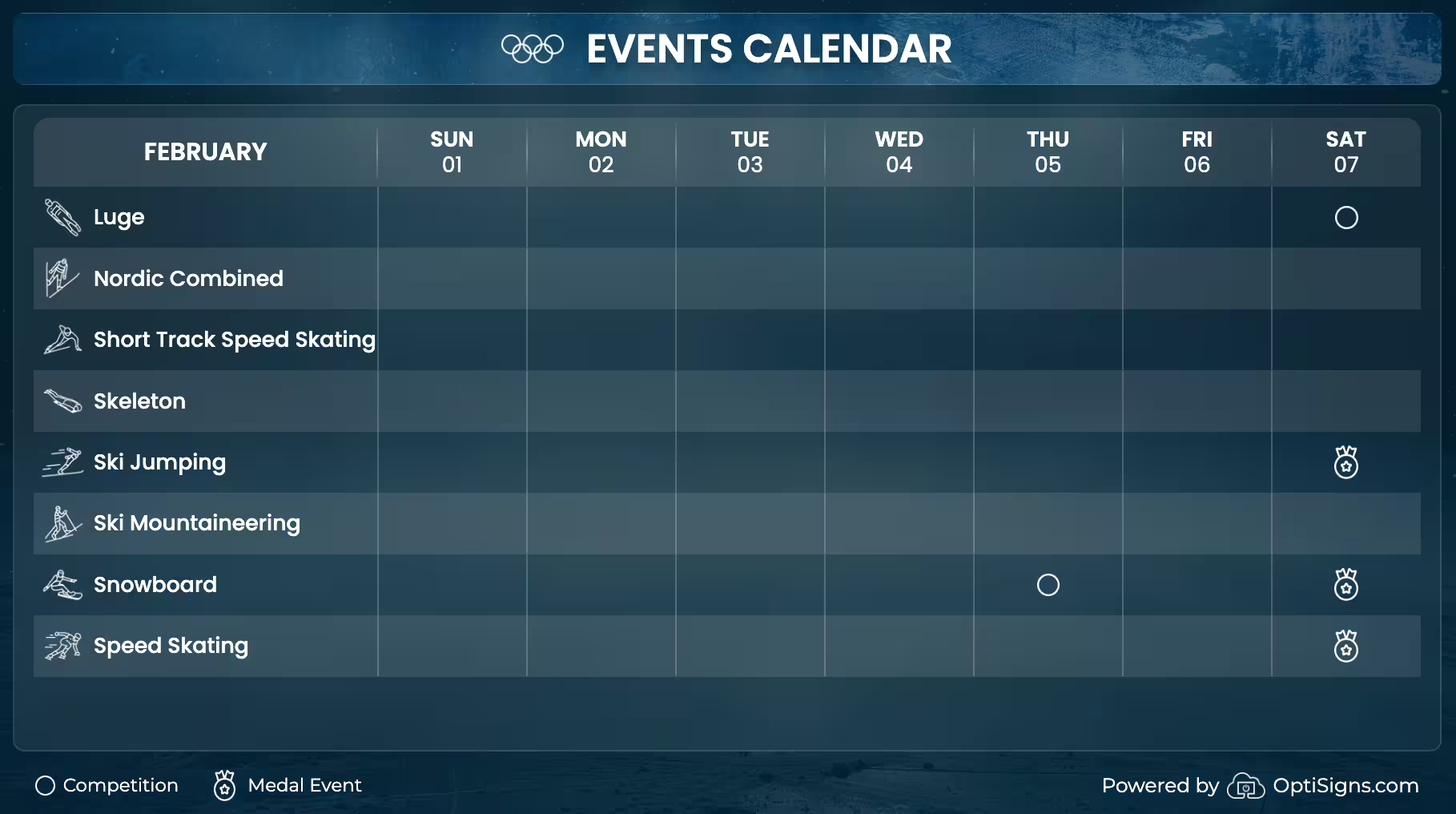
The grid format works especially well for the Winter Olympics because so many disciplines run in parallel. On any given day, you might have short track speed skating in the morning, freestyle skiing at midday, and curling into the evening. The calendar makes it easy to track everything at once without needing to pull out a phone.
Upcoming Events
Session cards showing exactly what country, date, time, and venue is coming next. This is the "what's on now" view — the quick answer for anyone passing by a screen who wants to know what's happening and where.
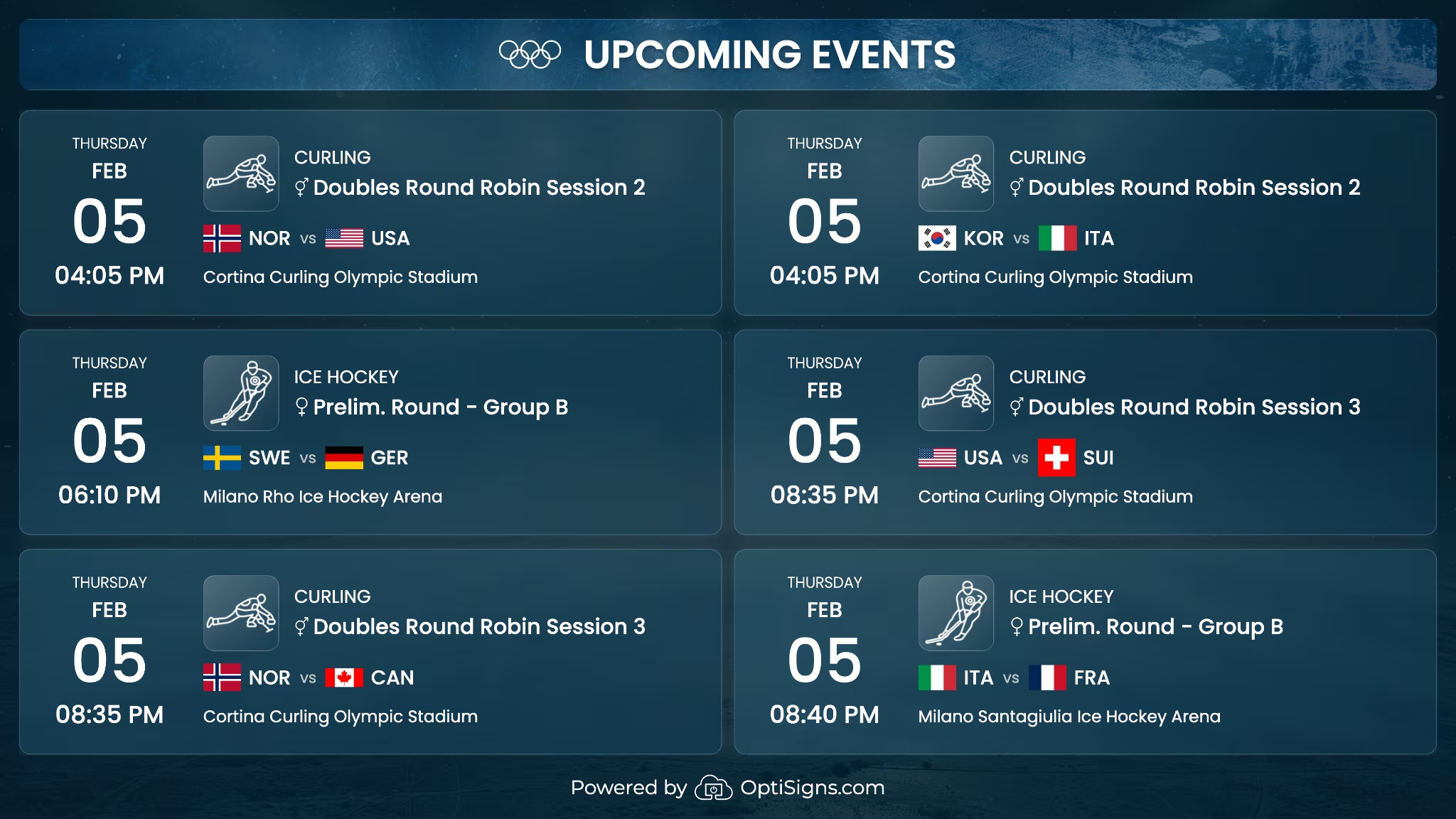
For venues that show live TV alongside their signage, the Upcoming Events view pairs naturally with a broadcast. One screen plays the action, the other tells you what's next, giving patrons another reason to stick around.
Medals Table
A medal leaderboard with the top 3 countries highlighted and full rankings sorted the way the IOC does it: gold first. The Medals Table will go live February 7 after the first medal-awarding events have wrapped.
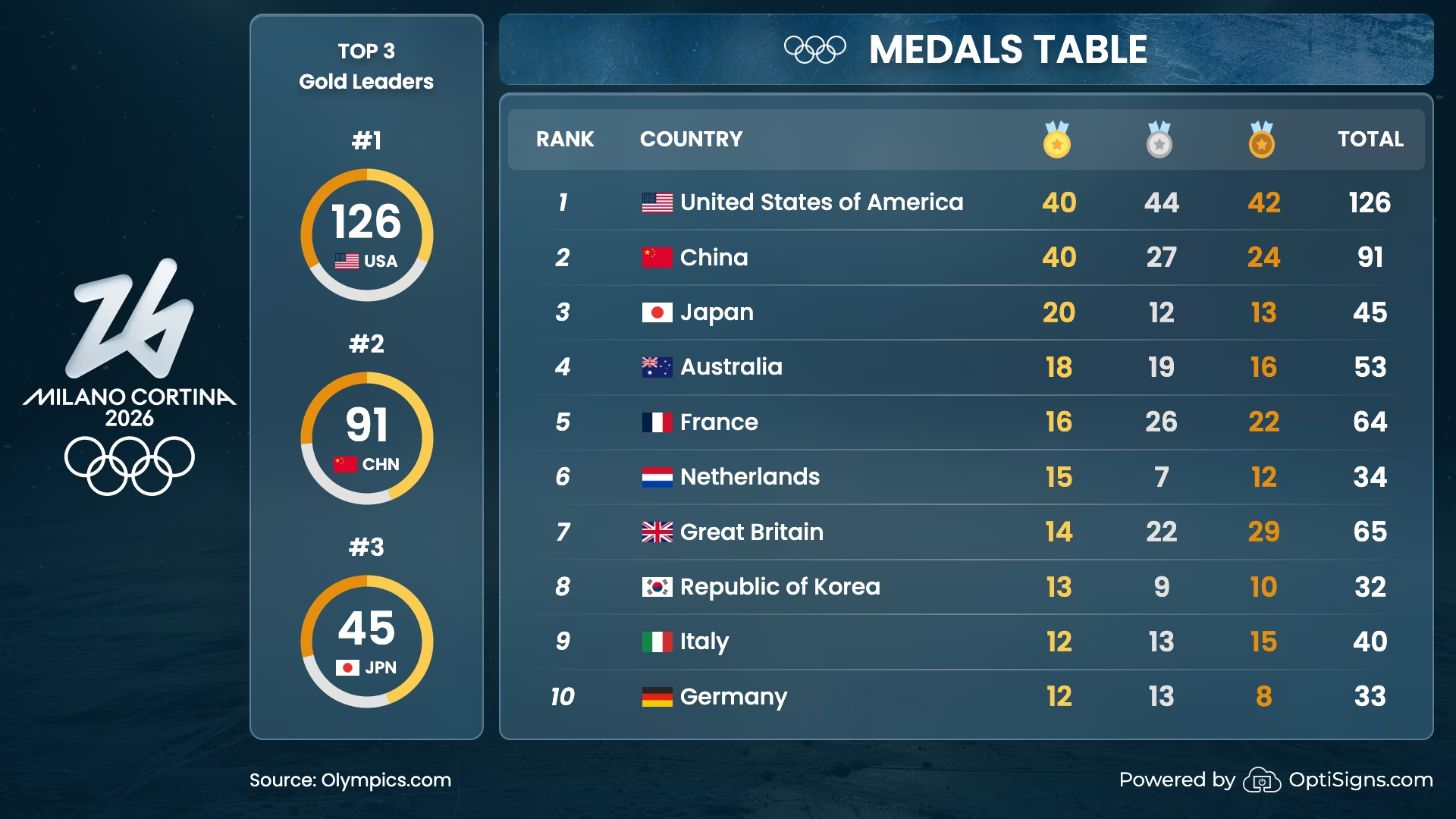
As the Games go one, this view is sure to capture the most attention. Early in the competition, the standings shift constantly — a single gold medal can vault a country from nowhere to the top three. By the second week, the table tells a story about which nations are dominating and which are making surprise runs. It's the kind of content people will stop and look at every time they walk by.
Peak Viewing for Every Venue
The Olympics are one of the few events that truly cross demographics. A ski resort lobby and a corporate headquarters have almost nothing in common, except that people in both places want to know who'se bringing home gold.
This is what makes OptiSigns Sports Feeds different from a static poster or a news ticker. It’s always changing, and always in real-time. People notice it in the morning, check it again after lunch, and stop by on their way out. It turns a screen from background noise into something worth looking at.
A few places where this Sports Feed sticks the landing:
- Hotels and resorts — Guests traveling during the Olympics will be on the lookout for updates, and a lobby screen with the medals table or upcoming events keeps them informed and keeps your space current.
- Sports bars and restaurants — Pair the feed with live broadcasts. The Events Calendar helps staff and customers plan which events to tune into next.
- Corporate offices — Breakroom and common area screens get much more foot traffic during major sporting events. This feed gives employees something to gather around, and banter about.
- Gyms and fitness centers — Winter sports and fitness go hand in hand. A screen showing the day's alpine or cross-country events adds even more energy to the space.
- Retail and waiting areas — Anywhere people have a few minutes to look up at a screen, Olympic content holds attention better than a static slide. It's the perfect addition to loop in between your existing promos.
And because the feed updates on its own, there's nothing to manage. Set it up once and it stays current through Closing Ceremony.
Dates You Should Know: Winter Olympics 2026
- Feb 4 — First competitions begin (curling round robin, ski jumping qualification)
- Feb 6 — Opening Ceremony at Stadio San Siro, Milan
- ~Feb 7 — Medals Table goes live in the feed
- Feb 8 — First full day of medal events across multiple disciplines
- Feb 22 — Closing Ceremony at Arena di Verona
Your Screens Just Got a Little Bit Cooler
The Milano Cortina 2026 Sports Feed is available now, free on all OptiSigns plans. Here's how to add it:
1. Log into your OptiSigns Portal
2. Navigate to Files/Assets > Feeds
3. Find the Milano Cortina 2026 Winter Olympics feed
4. Add it to a playlist or assign it directly to a screen
5. Push to your screens
The Winter Olympics Sports Feed works on any device OptiSigns supports and scales across multiple locations, so whether you're running one screen or a hundred, setup stays simple.


