


.avif)
Many stores track foot traffic. However, they often don't have a clear way to use this data. Foot traffic impacts decisions about staffing schedules and when to run promotions. It guides operational hours and marketing spend.
Having a solid foot traffic benchmark helps you budget and plan for operational efficiency.
This guide connects visitor counts to operational actions you can take right away. We’ll show you how to use foot traffic data to:
- Identify peak windows
- Adjust staffing levels
- Time promotions more effectively
- Improve conversion rates
We'll also explore ways to measure foot traffic, depending on your needs and budget, and account for temporary or one-time changes. You’ll also learn how to set a baseline benchmark, so you know which actions to take.
Main Takeaways
- Foot traffic counts people entering your store during a specific time period. It helps you staff locations, assess sales potential, and measure marketing effectiveness.
- Choose a counting method based on your accuracy needs, budget, and intended use. Consistency matters more than perfection.
- Build your benchmark from your own historical data by tracking day-of-week and hour-of-day patterns. Compare periods, adjust for holidays and weather, and track trends from year to year before assessing performance.
- Align associate schedules with documented traffic curves. Time promotions to peak windows for better results.
- Automate content rotation with digital signage software to coincide with foot traffic patterns.
Foot Traffic: What It Means for Your Store
Foot traffic is the number of people who enter a physical location during a specific time period. It measures how many visitors cross your threshold, whether or not they buy something. It’s also referred to as footfall or pedestrian traffic.
This metric applies to any physical location: retail shops, banks, gyms, clinics, and corporate lobbies.
More than 83% of US retail revenue in 2025 came from physical store purchases, according to the U.S. Census Bureau. That means each visitor represents sales potential.
Foot traffic also correlates to how visible and accessible your business is. To boost revenue without wasting effort and money, track and measure it. Then, compare it to related metrics and visitor totals from similar periods.
What Counts (and What Doesn't)
Clear counting rules keep your data consistent and useful for decisions.
Count every customer, browser, or visitor entering through your main entrance. Exclude on-duty employees, delivery personnel, and service technicians.
If you share an entrance with other businesses in a strip mall or food court, agree on counting boundaries. Without clear boundaries, location-to-location comparisons break down.
Don’t count people walking by, even if they slow down to look at your display window or read your menu. The potential sale only occurs if someone crosses the threshold.
Foot Traffic vs. Related Metrics
Several metrics can give insight into how effectively you’re using a space:
- Conversion rate measures the percentage of visitors who bought something. To find this, divide total sales by total visitors, then multiply by 100.
- Dwell time tracks how long visitors stay in the store or a specific zone. It's useful for measuring engagement and spotting bottlenecks, but separate from entry counts.
- Average transaction value refers to how much revenue you’re making per purchaser, on average. It indicates how well upsell and promotion efforts are working.
None of these metrics replaces foot traffic, but all of them connect to it.
Why Foot Traffic Matters: Staffing, Sales Potential, & Marketing Payoff
Foot traffic is the starting point for three operational decisions:
- Staffing levels
- Sales potential assessment
- Marketing effectiveness measurement
Spotting patterns in foot traffic helps identify busy times and slow times, and adjust staffing or operating hours accordingly.
With retail wages averaging over $26/hour in the US, according to the Federal Reserve Bank of St. Louis, staffing misalignment is expensive. Overstaffing slow periods or understaffing peak ones erodes your margin quickly.
By comparing foot traffic with other metrics, you can spot opportunities for improvement. For example, if traffic rises but revenue stays flat, the gap points to conversion or merchandising problems you can fix.
When the number of potential buyers is consistent across comparable periods, you can run A/B tests on messaging and promotions. This helps you maximize sales opportunities in a data-driven way.
Marketing campaigns that don't lift store visits may need different messaging, timing, or channels. Traffic data gives you a direct feedback loop to test and adjust your approach.
How to Measure Foot Traffic in Your Store
Choose a counting method that fits your accuracy needs, budget, and intended use. Consistency matters more than perfection.
Comparison of Common Foot Traffic Counting Methods
How to Pick a Method Without Overcomplicating It
Start with the simplest option that answers your core question: "How many people entered today, and when?"
Only add sophistication, like video analytics or zone tracking, after establishing a baseline and identifying decisions that require richer data.
Foot Traffic Patterns and How to Set Your Own Benchmark
Count foot traffic daily for at least 4–6 weeks to establish a reliable baseline. Shorter periods miss weekly patterns and one-time anomalies. Daily counts reveal day-of-week patterns.
When analyzing trends, compare same-day-of-week periods rather than raw daily totals. That provides a more accurate comparison that accounts for recurring buyer behavior.
Build your benchmark from your own historical data rather than chasing industry averages. Day-of-week and hour-of-day patterns reveal predictable peaks.
Baseline steps:
- Pick a consistent counting method.
- Record daily totals for 4–6 weeks.
- Note holidays, weather events, and promotions that might affect counts.
- Repeat the process quarterly or semi-annually.
Holiday and Weather Considerations
Foot traffic patterns naturally vary during different seasons, due to events, weather, and holidays.
During the winter holidays, about 30%–40% of in-store shopping happens on the top 10 shopping days. The busiest time is usually early afternoon, around 2–3 p.m., according to Sensormatic Solutions.
Understanding these windows lets you staff well and plan promotions when the most shoppers are around.
If staffing during peak season is a concern, you can use strategies like Buy Online, Pick Up In Store (BOPIS) to create predictable surges. Curbside pickup peaked at nearly 38% of online orders on December 23, 2024, according to Adobe.
Weather and calendar quirks shift traffic from week to week. A downtown lunch spot and a suburban furniture store have entirely different baselines. So it’s important to collect enough data before forming your baseline. Temporary disruptions don't signal long-term problems.
Patterns That Signal Action
Compare visitor count to point-of-sale (POS) transaction counts.
A sudden traffic drop, while conversions stay steady, hints at an external factor. This might be due to weather, road construction, or a competitor launching nearby.
Rising traffic and falling conversion suggest in-store problems. These may include staffing gaps, confusing layouts, or stale promotions.
Seasonal spikes arriving earlier or later than last year may reflect shifting consumer behavior. Adjust promotion timing accordingly.
Turning Foot Traffic Data into Store Decisions
Foot traffic data creates value through immediate operational changes:
- Staffing shifts
- Promotion timing
- In-store messaging adjustments
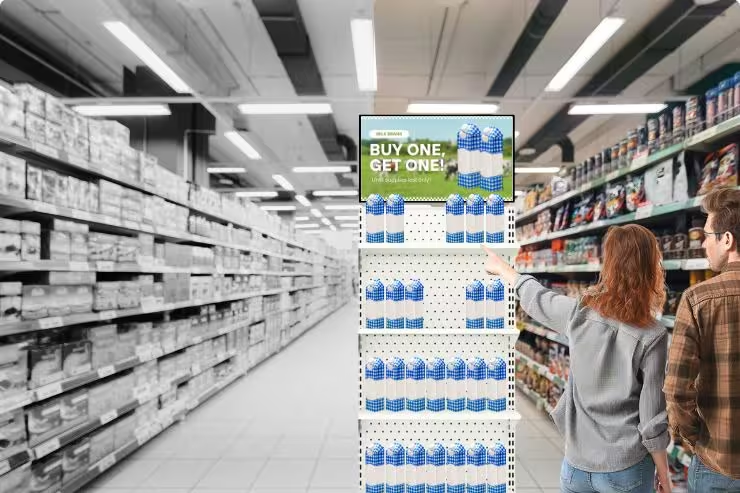
Display analytics dashboards make traffic patterns visible for team decision-making discussions. Align associate schedules with documented traffic curves.
A limited-time offer displayed during your busiest two hours reaches more shoppers than the same offer running all day. Strategic promotion placement combined with traffic timing maximizes visibility and conversion.
Simplify messaging during rush periods. Shoppers in a hurry can't handle complex promotions. So, clear and simple prompts work better than dense promotional text.
Use slow periods for higher-consideration messaging like:
- Product education
- Loyalty program sign-ups
- Cross-category discovery
Use advanced controls to automatically target content to specific traffic windows.
Follow this workflow regularly and adjust strategy when needed:
- Measure foot traffic.
- Segment by day/time.
- Compare to POS conversion.
- Take action.
- Re-check metrics.
Ensure Multi-Location Consistency
If you have multiple physical stores, traffic peaks and drops may vary between them. Follow these steps to ensure data remains useful and messaging remains consistent:
- Centralize approved content so every store shows the same promotion on the same day.
- Allow local scheduling flexibility for regional traffic differences. A mall location may peak later than a strip-center store.
- Audit screens remotely to confirm content is live. Managers shouldn't need to visit every site to verify compliance.
- Set time-zone rules automatically to avoid early or late displays.
- Lock corporate templates while allowing local teams to schedule timing.
Quick Wins You Can Execute This Week
Post a time-limited offer on screens during your documented peak hour. Then compare conversions to the same hour last week.
ICSC reports 70% of BOPIS customers bought another in-store item when picking up their order during the 2024 holiday weekend. Capitalize on this behavior with targeted promotions at pickup counters. Use QR codes for instant offers that grab attention.
Try two different promotional messages on alternate days. Then, see which one increases same-day sales more.
Update screens remotely when weather or events shift traffic unexpectedly. Pre-storm "essentials" messaging or post-storm "we're open" confirmations keep communication timely. Use ready-made templates to save time and effort.
Turn Foot Traffic Patterns into Profitable Store Decisions with OptiSigns
Once you have foot traffic data, you can act on traffic patterns. To do that, you need the right tools.
OptiSigns automates promotion scheduling based on peak hours, slow periods, and seasonal shifts. Keep messaging consistent across locations while adapting to local traffic differences. Use one dashboard to manage content and analyze data when making operational decisions.
Try OptiSigns for free, and make the most of your foot traffic patterns.


